Sleep & Shutdown Timer
A downloadable tool for Windows
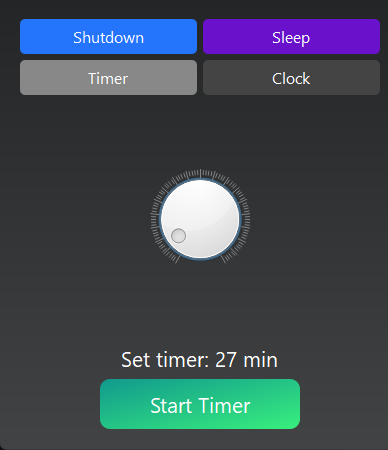
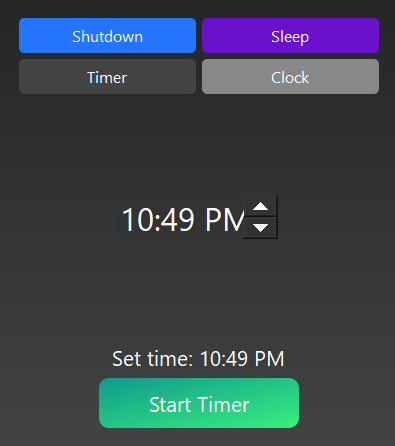
Sleep & Shutdown Timer is a simple Windows desktop tool for scheduling your PC to Sleep or Shut Down — either after a countdown (minutes) or at a specific time on the clock.
Perfect for:
-
falling asleep to YouTube/Netflix without your PC running all night
-
timing long downloads or renders
-
shutting down after a game, upload, or backup
-
“I’ll be back in 30 mins” power saving
Key Features
-
Shutdown mode or Sleep mode
-
Countdown timer (1–360 minutes)
-
Clock mode (pick a time like 11:30 PM)
-
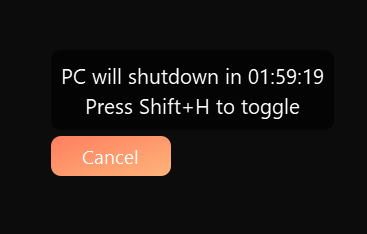
Always-on-top overlay with Cancel
-
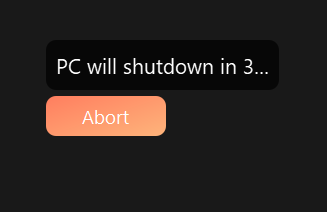
Final 5-second “Abort” countdown for last-second saves
-
Shift + H hotkey to show/hide the overlay (or reopen the window if no timer is running)
How it works
-
Choose Shutdown or Sleep
-
Choose Timer (countdown) or Clock (exact time)
-
Hit Start Timer
-
Use the overlay to Cancel, or in the final moments press Abort
Feature bullets (itch.io “features” section)
-
Sleep or shutdown scheduling
-
Countdown dial up to 360 minutes
-
Set an exact target time (Clock mode)
-
Overlay popup stays visible even when the main window hides
-
Hotkey: Shift+H toggles overlay visibility
-
Final fail-safe: 5-second abort window
Controls / Hotkeys
-
Shift + H — Toggle overlay visibility (and main window if no timer is active)
-
Overlay buttons: Cancel (during timer) / Abort (final countdown)
Purchase
In order to download this tool you must purchase it at or above the minimum price of $2.99 USD. You will get access to the following files: